
Managing multiple usernames and passwords has become a daily challenge for individuals and organizations alike. From personal accounts and subscriptions to business systems and administrative portals, keeping credentials organized is essential for productivity and security.
Relying on memory, scattered notes, or unsecured files increases the risk of errors and data loss. Free password list templates provide a structured, professional way to document and manage login information safely and consistently.
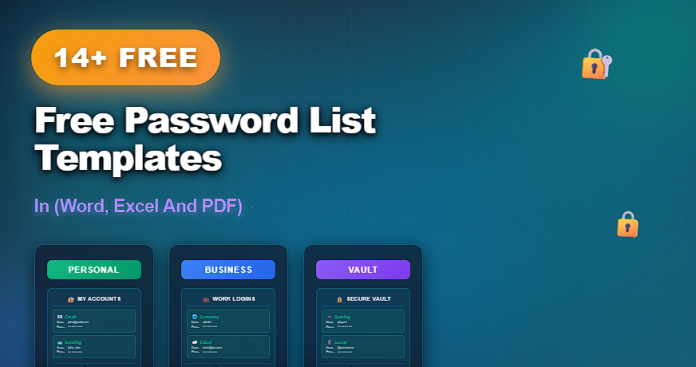
This article presents 14+ free password list templates, available in Word, Excel, and PDF, suitable for personal use, offices, teams, and administrative environments.
What Is a Password List Template?
A password list template is a structured record-keeping document designed to store and organize login credentials in a clear, centralized format.
A typical password list template includes:
- Website or system name
- Username or email address
- Password field
- Recovery or security notes
- Last updated date
These templates help users track access details while reducing confusion and repeated password resets.
Why Use Free Password List Templates?
Using free password list templates offers several practical advantages.
Key benefits include:
- Centralized organization of login credentials
- Reduced risk of forgetting or misplacing passwords
- Consistent and professional formatting
- Easy updates when passwords change
- Availability in digital and printable formats
Templates are especially useful for managing multiple accounts across platforms.
14+ Free Password List Templates (Word, Excel and PDF)
Below is a curated collection of free password list templates, organized by format, purpose, and level of detail.
Basic and Printable Password List Templates (1–6)
- Simple Password List Template
- Printable Password List (PDF)
- One-Page Password Log
- Basic Login Information Sheet
- Minimal Password Tracker
- Editable Password List Template (Word)
Personal and Business Password Templates (7–11)
- Personal Password Organizer
- Business Password List Template
- Office Login Credentials Sheet
- Password List with Notes Section
- Password Tracker with Update History
Excel and Advanced Password Tracking Templates (12–14+)
- Password List Spreadsheet (Excel)
- Password Tracker with Categories (Excel)
- Master Password List Template
- Custom Password List Template (Word, Excel, PDF)
Word vs Excel vs PDF Password List Templates
Each format supports different security and usage needs.
Word Password List Templates
- Easy to edit and print
- Suitable for personal and small office use
- Simple and user-friendly
Excel Password List Templates
- Structured data organization
- Easy sorting and filtering
- Suitable for managing many accounts
PDF Password List Templates
- Fixed, clean layout
- Ideal for printing and secure storage
- Prevents accidental edits
Many users maintain their master list in Excel and store printed PDFs securely.
Best Practices for Using Password List Templates
To manage passwords responsibly:
- Store files in secure locations
- Limit access to authorized users
- Update passwords regularly
- Avoid sharing files electronically without protection
- Consider combining templates with password managers
Templates should support security, not replace best practices.
Common Mistakes to Avoid
When using password list templates, avoid:
- Storing files in unsecured locations
- Sharing password lists openly
- Using weak or repeated passwords
- Forgetting to update changed credentials
- Leaving printed lists unattended
Avoiding these mistakes reduces security risks.
Frequently Asked Questions
Are these password list templates secure?
They are organizational tools. Security depends on how and where the files are stored.
Can these templates be used for business systems?
Yes, but access should be restricted and managed carefully.
Are the templates editable?
Yes. Word and Excel templates are fully editable. PDFs are print-ready.
Should password lists replace password managers?
No. Templates are best used as organizational backups or offline references.
Conclusion
Managing login credentials efficiently is essential in today’s digital environment. The 14+ free password list templates in this guide provide structured, professional tools for organizing passwords across personal and professional contexts.
With templates available in Word, Excel, and PDF, users can choose the format that best fits their workflow—ensuring clarity, organization, and responsible credential management.

