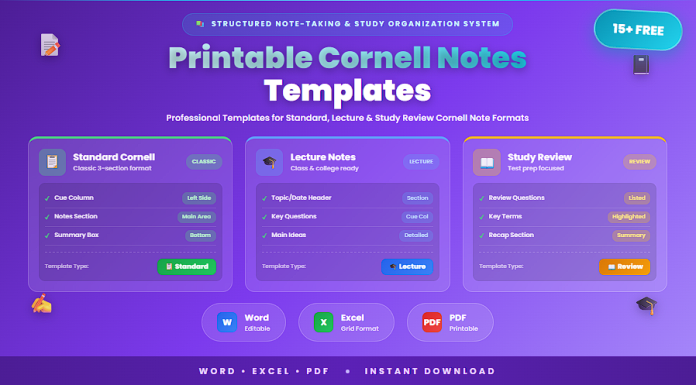

Taking effective notes is an essential part of learning and academic success. Whether students are attending lectures, studying textbooks, or reviewing research materials, well-structured notes help improve understanding and retention of information.
One of the most widely used note-taking systems is the Cornell Notes method. Developed at Cornell University, this structured note-taking format helps students organize key ideas, identify important concepts, and summarize learning points efficiently.
Using free printable Cornell notes templates in Word, Excel, and PDF allows students and educators to apply the Cornell method easily while keeping notes organized and easy to review.
In this guide, you will find 15+ free Cornell notes templates designed for classroom lectures, study sessions, research notes, and academic learning.
What Are Cornell Notes?
Cornell Notes is a structured note-taking method that divides a page into three main sections. This format encourages students to organize notes clearly while creating space for key concepts and summaries.
The Cornell note-taking system typically includes:
• Cue column – used for key questions, keywords, or prompts
• Notes section – used to record detailed lecture or reading notes
• Summary section – used to summarize the main ideas at the bottom of the page
This structured format helps students review information more efficiently and improves long-term memory retention.
When Should You Use Cornell Notes Templates?
Cornell notes templates can be used in many academic and professional learning situations.
They are commonly used for:
• Classroom lecture note-taking
• Study sessions and revision planning
• Research note organization
• Textbook reading summaries
• Academic writing preparation
• Professional training and learning
Using a structured Cornell notes template helps students capture important information while organizing their thoughts clearly.
15+ Free Printable Cornell Notes Templates (Word, Excel, PDF)
Below is a categorized collection of Cornell notes templates designed for different note-taking needs.
Basic Cornell Notes Templates (1–5)
• Standard Cornell Notes Template
• Simple Cornell Notes Worksheet
• Printable Cornell Notes Template (PDF)
• Basic Cornell Note-Taking Sheet
• Classic Cornell Notes Page Layout
Student and Classroom Cornell Notes Templates (6–10)
• Student Cornell Notes Template
• Classroom Lecture Cornell Notes Sheet
• Cornell Notes with Study Questions Section
• Cornell Notes Template with Summary Area
• Cornell Notes Study Worksheet
Advanced Cornell Notes Templates (11–15+)
• Cornell Notes Template with Topic Header
• Cornell Notes Research Template
• Cornell Notes for Study Review
• Excel Cornell Notes Organizer
• Complete Cornell Notes Template Pack
Key Elements of Cornell Notes
Cornell notes templates follow a structured layout designed to improve organization and learning.
The typical Cornell notes format includes:
• Topic or lecture title section
• Cue column for key questions or keywords
• Main notes section for detailed information
• Summary section for reviewing the main ideas
This layout helps students break down complex information into manageable sections.
Why Use Word, Excel, and PDF Cornell Notes Templates?
Using different formats provides flexibility depending on how students prefer to take notes.
Word templates allow students to customize the layout and adjust sections based on their study needs.
Excel templates help organize notes in structured tables and can be useful for tracking multiple study topics.
PDF templates provide ready-to-print worksheets that students can use during lectures or study sessions.
Benefits of using these formats include:
• Easy editing and customization
• Printable worksheets for classroom use
• Structured note-taking format
• Improved organization of study materials
• Reusable templates for multiple subjects
These templates help students maintain organized and effective study notes.
Best Practices for Using Cornell Notes
To get the most value from Cornell notes, students should follow several best practices.
Recommended practices include:
• Record detailed notes during lectures or reading
• Write key questions or keywords in the cue column
• Review notes shortly after the lecture
• Summarize the main ideas at the bottom of the page
• Use the cue column to test knowledge during revision
• Organize notes by subject or topic
Following these practices helps students improve comprehension and retention.
Common Mistakes to Avoid
Some mistakes can reduce the effectiveness of Cornell notes.
Common issues include:
• Writing overly long or unorganized notes
• Not using the cue column for key questions
• Skipping the summary section
• Not reviewing notes regularly
• Recording irrelevant information
Avoiding these mistakes helps ensure the Cornell notes system works effectively.
Frequently Asked Questions
What are Cornell notes used for?
Cornell notes are used to organize lecture notes, highlight key concepts, and summarize important information.
Who should use Cornell notes templates?
Students, teachers, and professionals can use Cornell notes for structured note-taking.
Can Cornell notes templates be customized?
Yes. Word and Excel templates can be modified to fit different subjects or study needs.
Are printable Cornell notes useful for students?
Yes. Printable Cornell notes worksheets help students organize notes during lectures or study sessions.
Why are Cornell notes effective for studying?
They encourage active learning by organizing information, creating study questions, and summarizing key ideas.
Conclusion
Cornell notes templates provide an effective structure for organizing lecture notes, study materials, and research information. By dividing notes into cue sections, detailed notes, and summaries, the Cornell method helps students improve comprehension and retention.
The 15+ free printable Cornell notes templates in Word, Excel, and PDF included in this guide offer ready-to-use resources for classroom learning, study sessions, and academic note organization.
Using these templates helps students maintain organized notes, review information efficiently, and develop stronger study habits.

