
Seating arrangements play a critical role in ensuring comfort, organization, and smooth coordination across many environments. Whether planning a wedding reception, organizing a classroom, managing a conference, or hosting a formal event, a well-structured seating plan helps avoid confusion and improves the overall experience for participants.
Creating seating plans manually can be time-consuming and prone to errors, especially when guest lists or class sizes change. This is where free seating chart templates provide significant value. They offer a structured, visual way to organize seating while remaining flexible and easy to update.
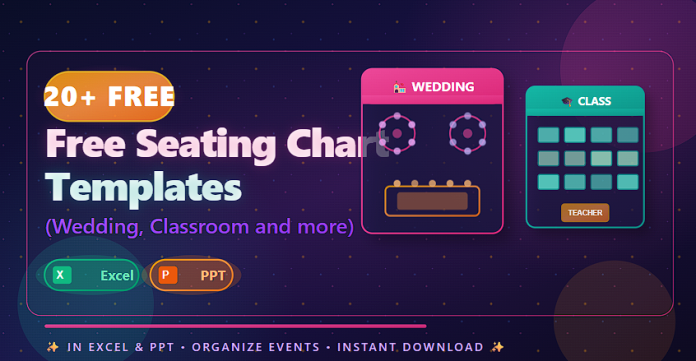
This article presents 20+ free seating chart templates designed for weddings, classrooms, meetings, and more, available in Excel and PowerPoint (PPT) formats.
What Are Seating Chart Templates?
Seating chart templates are pre-designed layouts used to assign seats to individuals or groups within a defined space. They visually represent seating positions, table numbers, rows, or sections, making it easier to manage arrangements and communicate them clearly.
Typical seating chart templates include:
- Guest or participant names
- Seat, table, or desk numbers
- Room or layout structure
- Notes or special instructions
- Editable visual elements
These templates are commonly used for events, education, workplaces, and public venues.
Why Use Free Seating Chart Templates?
Using free seating chart templates simplifies planning while improving accuracy and presentation quality.
Key benefits include:
- Faster seating organization
- Easy updates when attendees change
- Clear visual representation
- Reduced confusion on the event day
- Professional and consistent layouts
Templates are especially useful when dealing with large groups or multiple seating sections.
Excel vs PowerPoint Seating Chart Templates
Choosing the right format depends on how the seating chart will be used:
Excel Seating Chart Templates
- Easy sorting and editing
- Ideal for managing names and numbers
- Suitable for frequent updates
PowerPoint Seating Chart Templates
- Visual and presentation-ready
- Ideal for displays and briefings
- Easy to share during meetings or events
Many planners use Excel for planning and PowerPoint for presentation.
Best Practices for Using Seating Chart Templates
To ensure effective seating arrangements:
- Confirm attendee lists before finalizing
- Allow flexibility for last-minute changes
- Keep layouts clear and uncluttered
- Use consistent naming conventions
- Share seating charts with relevant stakeholders
Well-organized seating plans reduce stress and confusion.
Common Mistakes to Avoid
When creating seating charts, avoid:
- Overcrowding seats
- Ignoring accessibility needs
- Failing to update changes
- Using unclear labels or numbering
- Not communicating seating arrangements in advance
Attention to detail ensures a smooth experience.
Frequently Asked Questions
Are these seating chart templates editable?
Yes. Excel and PowerPoint templates are fully editable and customizable.
Can these templates be used for both small and large groups?
Yes. They are suitable for intimate events as well as large gatherings.
Are these templates suitable for professional events?
Yes. The designs support weddings, corporate meetings, classrooms, and conferences.
Do seating charts help with event management?
Yes. They improve organization, communication, and guest flow.
Conclusion
Seating organization is a key element of successful events and structured environments. The 20+ free seating chart templates in this guide provide practical, professional solutions for weddings, classrooms, meetings, and more.
With templates available in Excel and PowerPoint, planners can easily organize seating, make updates efficiently, and present arrangements clearly—ensuring a smooth and well-organized experience for everyone involved.
Download 20+ Free Seating Chart Templates (Wedding,Classroom and more) in Excel & PPT

