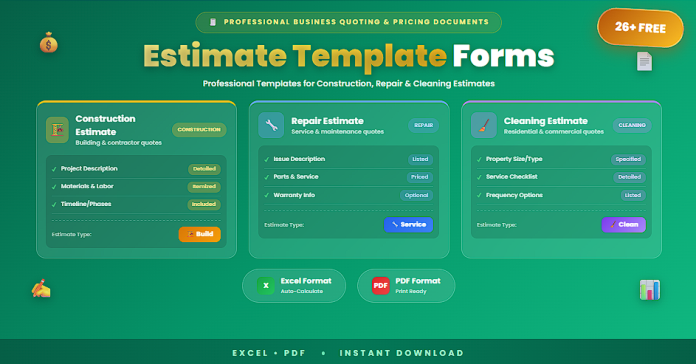

Accurate estimates are essential for winning projects and protecting profit. Whether you’re quoting a construction job, a repair service, or a cleaning contract, a clear estimate template helps you define scope, price correctly, and set expectations before any work begins.
Without a structured estimate, common problems include scope confusion, pricing disputes, unapproved add-ons, unclear timelines, and delayed payments. That’s why free estimate template forms in PDF and Excel are valuable: PDF versions provide clean, printable client-facing quotes, while Excel versions let you calculate totals quickly, track cost components, and update pricing in seconds.
This guide includes 26+ free estimate template forms designed for construction, repairs, and cleaning businesses.
What Is an Estimate Template Form?
An estimate template form is a document used to provide a customer with a pricing quote for a specific service or project. It typically includes work description, pricing details, and approval terms.
A strong estimate template usually includes:
- Client and job location details
- Estimate number and date
- Scope of work summary
- Itemized line items (labor, materials, equipment)
- Quantity, unit price, and totals
- Subtotal, tax, discounts, and grand total
- Assumptions and exclusions
- Validity period (expiration date)
- Payment terms and schedule (optional)
- Client approval signature
Well-built estimates reduce misunderstandings and improve close rates.
Why Use PDF and Excel Formats?
PDF Estimate Forms
✅ Print-ready and professional for client presentation
✅ Fixed layout prevents accidental edits
✅ Easy to send and store as a signed copy
Excel Estimate Templates
✅ Auto-calculations for totals, tax, discounts
✅ Easy editing for quantities and unit prices
✅ Reusable pricing tables for faster quoting
✅ Helpful for tracking margins and cost breakdowns
Using both formats gives you client-ready output plus internal calculation power.
26+ Free Estimate Template Forms (Construction, Repair, Cleaning) (PDF and Excel)
Below is a curated collection of estimate templates grouped by industry and use case.
Construction Estimate Templates (1–10)
- Construction Estimate Template (Excel)
- Construction Estimate Form (Printable PDF)
- Contractor Estimate Template (Excel)
- Residential Remodel Estimate Sheet (Excel)
- Home Renovation Estimate Form (PDF)
- Room-by-Room Renovation Estimate (Excel)
- Roofing Estimate Template (Excel)
- Flooring Estimate Template (Excel)
- Painting Project Estimate Form (PDF)
- Material + Labor Construction Quote (Excel)
Repair and Service Estimate Templates (11–18)
- General Repair Estimate Template (Excel)
- Handyman Estimate Form (PDF)
- Appliance Repair Estimate Template (Excel)
- Plumbing Repair Estimate Form (PDF)
- Electrical Repair Estimate Template (Excel)
- HVAC Service Estimate Template (Excel)
- Auto Repair Estimate Form (PDF)
- Maintenance Work Order + Estimate Sheet (Excel)
Cleaning Estimate Templates (19–26+)
- House Cleaning Estimate Template (Excel)
- Commercial Cleaning Estimate Form (PDF)
- Deep Cleaning Estimate Template (Excel)
- Move-In / Move-Out Cleaning Estimate (Excel)
- Post-Construction Cleaning Estimate Form (PDF)
- Office Cleaning Quote Template (Excel)
- Airbnb / Short-Term Rental Cleaning Estimate (Excel)
- Window Cleaning Estimate Form (PDF)
What to Include in a Professional Estimate
To make your estimate clear and easy to approve:
✅ Clear scope summary (what’s included)
✅ Itemized list with quantities and unit pricing
✅ Labor hours/rates (if applicable)
✅ Materials and equipment costs (if applicable)
✅ Tax/fees line (if required)
✅ Timeline or expected start date (optional)
✅ Exclusions (what’s not included)
✅ Estimate validity period (e.g., 7–30 days)
✅ Payment terms (deposit, milestones, due dates)
✅ Client approval signature or acceptance checkbox
This reduces back-and-forth and protects margins.
Best Practices for Construction, Repair, and Cleaning Estimates
Use these practices to improve accuracy and conversions:
✅ Use consistent estimate numbering for tracking
✅ Break scope into phases or areas (especially construction)
✅ Include assumptions (access, utilities, materials availability)
✅ Add optional line items or add-ons (upsells)
✅ Keep client-facing PDFs clean and simple
✅ Update Excel pricing tables regularly to match market costs
✅ Confirm job site conditions before finalizing (repairs/construction)
✅ Document change order rules for scope changes
Strong estimates reduce disputes and increase trust.
Common Mistakes to Avoid
Avoid these issues that lead to disputes and profit loss:
✅ Vague scope descriptions without specifics
✅ No exclusions (client assumes everything is included)
✅ Missing tax/fees calculation
✅ No expiry date (pricing becomes outdated)
✅ Not separating labor vs materials (hard to defend pricing)
✅ Forgetting travel, disposal, or equipment fees
✅ Using inconsistent line item naming (confuses clients)
A clean template prevents most pricing conflicts.
Frequently Asked Questions
Is an estimate the same as an invoice?
No. An estimate is a quote before work starts. An invoice requests payment after work is done (or at milestones).
Why use Excel for estimates?
Excel reduces errors through calculations and makes it easy to adjust quantities and pricing quickly.
Why also provide a PDF?
PDFs look professional and are ideal for sending to clients and collecting approvals/signatures.
Should estimates include terms and conditions?
Yes. Basic terms (validity, scope notes, payment expectations) reduce misunderstandings.
Can I use one estimate template for different services?
Yes—if the template is flexible and supports itemized categories (labor, materials, add-ons).
Conclusion
Professional estimates help businesses win more work, price accurately, and reduce disputes. The 26+ free estimate template forms (construction, repair, cleaning) in PDF and Excel in this guide provide clean printable quote forms and powerful editable spreadsheets for faster, more consistent quoting.
With the right templates, you can present pricing clearly, protect your scope, and get client approvals faster—while keeping your operations organized.

