
Even when a divorce is uncontested, the paperwork can feel overwhelming. Most people don’t struggle because they disagree on terms—they struggle because they don’t know what forms are typically needed, how to organize them, or what information must be consistent across documents.
That’s why free printable divorce papers in PDF are helpful. PDF templates give you a clean, print-ready format for organizing the most common divorce documents—especially for uncontested situations where both spouses want to document terms clearly.
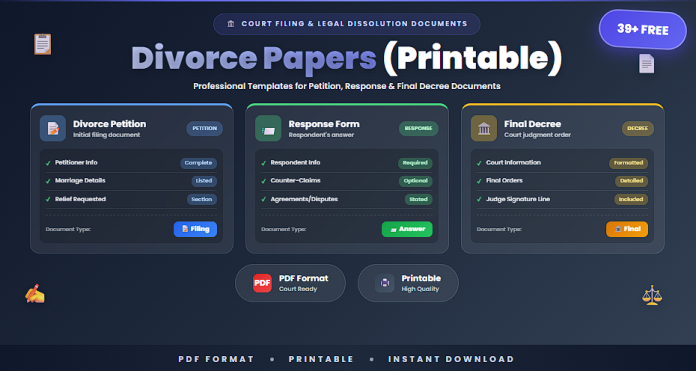
This guide includes 39+ printable divorce paper templates that can help you prepare, organize, and document a divorce process more efficiently.
What Are Divorce Papers?
“Divorce papers” is a general term for the documents used to request a divorce and document agreements between spouses. The exact forms vary by jurisdiction, but the process often includes:
- Filing a petition or complaint
- Notifying the other spouse (service)
- Submitting financial disclosures
- Documenting settlement terms (property, debt, support)
- Parenting and support documents (if children are involved)
- Signing and notarizing (where required)
Using organized templates helps reduce delays and missing information.
When Should You Use Printable Divorce Paper Templates?
Printable divorce templates are commonly used for:
- Uncontested divorces (mutual agreement)
- Organizing settlement terms before filing
- Creating clear records for property and debt division
- Preparing custody schedules and parenting plans
- Tracking financial disclosures and required information
- Drafting documents for mediation or discussion
- Keeping a consistent personal record of the process
Templates are especially useful when you want clarity and structure.
39+ Free Divorce Papers (Printable) (PDF)
Below is a categorized collection of printable divorce paper templates.
Core Divorce Filing Papers (1–12)
- Divorce Petition/Complaint Template (Basic)
- Uncontested Divorce Petition (Short Form) (Basic)
- Divorce Case Cover Sheet (Printable)
- Divorce Information Sheet (Spouse + Marriage Details)
- Appearance/Response Acknowledgment Form (Basic)
- Notice of Service Checklist (Printable)
- Affidavit of Residency (Basic)
- Statement of Separation Date (Basic)
- Signature Page + Notary Block (Where Applicable)
- Document Submission Checklist (Printable)
- Divorce Filing Timeline Planner (Printable)
- Complete Divorce Filing Pack (PDF Bundle)
Settlement and Separation Documents (13–26)
- Marital Settlement Agreement (Printable PDF)
- Mutual Divorce Agreement Template
- Separation Agreement (Printable)
- Property Division Agreement Sheet
- Asset Schedule (Property Inventory Table)
- Debt Schedule (Loans/Credit Cards/Obligations Table)
- House and Real Estate Division Sheet (Basic)
- Vehicle Division Sheet (Basic)
- Personal Property Division Checklist
- Retirement Account Notes Page (Basic)
- Support Terms Summary Sheet (Basic)
- Final Settlement Confirmation Page (Both Sign)
- Complete Settlement Documentation Pack
Children, Custody, and Support Papers (27–39+)
- Parenting Plan Template (Printable)
- Custody and Visitation Schedule (Weekly Plan)
- Holiday and Vacation Parenting Schedule (Printable)
- Child Support Agreement Page (Basic)
- Child Expense Sharing Worksheet (Medical/School/Activities)
- Transportation and Exchange Rules Page
- Co-Parenting Communication Rules Sheet
- Emergency Contact + School Info Add-On (Printable)
- Child Support Payment Log (Printable)
- Modification/Addendum Request Form (Basic)
- Custody Plan Review Checklist (Printable)
- Complete Custody + Support Paper Pack (All-in-One)
Why Use PDF Format for Divorce Papers?
PDF templates provide practical advantages:
✅ Print-ready formatting that doesn’t shift
✅ Easy to sign, scan, and store
✅ Consistent layout for multi-document packets
✅ Simple sharing with the other spouse or mediator
✅ Clean recordkeeping for your personal files
PDF is ideal when your goal is printable, organized paperwork.
Best Practices for Divorce Paperwork
To reduce delays and confusion:
✅ Keep names, dates, and addresses consistent across forms
✅ Use full legal names (match IDs)
✅ Attach schedules for assets and debts instead of writing paragraphs
✅ Include clear custody schedules (exact times and locations)
✅ Keep copies of everything (digital + paper)
✅ Track signatures and notarization requirements
✅ Use a checklist to confirm your packet is complete
Organization prevents mistakes that slow down the process.
Common Mistakes to Avoid
- Leaving sections blank without marking “N/A”
- Using inconsistent dates across documents
- Forgetting to list debts while listing assets
- Vague custody schedules without clear default times
- Not signing where required or missing notarization
- Submitting without keeping copies for records
Divorce paperwork is mostly about accuracy and consistency.
Frequently Asked Questions
Are printable divorce papers valid in every state?
Not necessarily. Courts often require specific official forms. Templates are best for organizing information, drafting agreements, and preparing supporting documents.
Can I use templates for an uncontested divorce?
Yes—many people use templates to draft settlement terms and organize paperwork, especially when both spouses agree.
Do divorce papers always require notarization?
Some documents may require notarization depending on jurisdiction and form type. Always check local requirements.
Do I still need court forms?
Usually yes. Court systems often require official forms, but templates help you prepare the correct information and attachments.
Why use PDF templates?
PDF is best for print-ready forms that keep formatting stable and are easy to sign, scan, and store.
Conclusion
Printable divorce papers help you organize the divorce process by keeping essential details consistent, documenting agreements clearly, and reducing missing information. The 39+ free divorce papers (printable) in PDF in this guide provide structured templates for filing preparation, settlement documentation, financial schedules, and custody/support attachments.
Using clean, organized PDF templates improves clarity, reduces stress, and helps keep the process moving smoothly.

