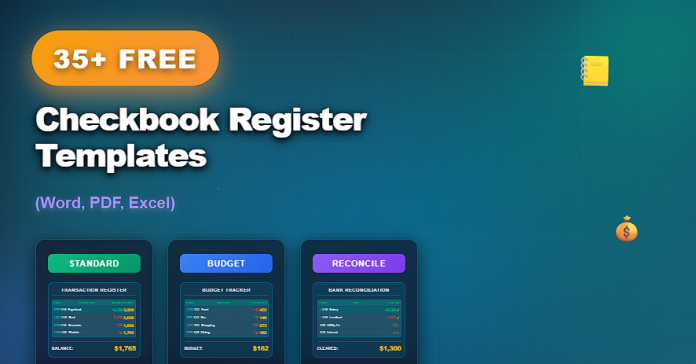

Even in an age of online banking, maintaining a checkbook register remains one of the most reliable ways to track personal and small-business finances. A checkbook register helps ensure that every payment, deposit, and adjustment is recorded clearly—preventing overdrafts, missed transactions, and balance discrepancies.
Relying solely on bank statements can lead to delays and inaccuracies. Free checkbook register templates provide a structured, consistent method for tracking balances in real time and maintaining full financial visibility.
This article presents 35+ free checkbook register templates, available in Word, PDF, and Excel,, suitable for personal use, household budgeting, and small business accounting.
What Is a Checkbook Register?
A checkbook register is a financial tracking document used to record all transactions related to a checking account.
A standard checkbook register typically includes:
- Date of transaction
- Check number or reference
- Description or payee
- Payment (withdrawal) amount
- Deposit amount
- Running balance
- Notes or reconciliation fields
Registers help ensure your records match bank statements.
Why Use Free Checkbook Register Templates?
Using free checkbook register templates offers several important advantages.
Key benefits include:
- Accurate balance tracking
- Reduced risk of overdrafts
- Clear transaction history
- Easier reconciliation with bank statements
- Improved financial awareness
Templates provide structure and consistency without cost.
35+ Free Checkbook Register Templates (Word, PDF, Excel)
Below is a curated collection of free checkbook register templates, organized by complexity and format.
Basic and Printable Checkbook Registers (1–12)
- Simple Checkbook Register
- Printable Checkbook Register (PDF)
- Basic Check Register Template
- One-Page Checkbook Register
- Minimal Check Register Layout
- Editable Checkbook Register (Word)
- Blank Check Register Template
- Easy-to-Use Check Register
- Personal Checkbook Register
- Starter Checkbook Register
- Clean Check Register Format
- Manual Balance Tracking Register
Personal and Household Checkbook Registers (13–24)
- Household Checkbook Register
- Monthly Checkbook Register
- Check Register with Budget Notes
- Family Finance Checkbook Register
- Checkbook Register with Categories
- Register for Bills and Payments
- Checkbook Register for Rent and Utilities
- Personal Finance Tracking Register
- Check Register with Reconciliation Section
- Annual Checkbook Register
- Reusable Check Register Template
- Checkbook Register for Multiple Accounts
Excel-Based and Advanced Checkbook Registers (25–35+)
- Checkbook Register Spreadsheet (Excel)
- Auto-Calculating Check Register
- Checkbook Register with Running Balance
- Digital Checkbook Register (Excel)
- Check Register with Charts
- Checkbook Register Dashboard
- Small Business Check Register
- Checkbook Register with Income Tracking
- Detailed Transaction Register
- Professional Checkbook Register Template
- Complete Checkbook Register Template Pack
Word vs PDF vs Excel Checkbook Registers
Each format supports different financial tracking needs.
PDF Checkbook Registers
- Print-ready and easy to use
- Ideal for handwritten tracking
- Fixed layout for consistency
Word Checkbook Registers
- Easy to customize
- Suitable for notes and adjustments
- Simple formatting control
Excel Checkbook Registers
- Automatic balance calculations
- Ideal for ongoing tracking
- Supports sorting and analysis
Many users track balances in Excel and keep printed PDF copies for reference.
Best Practices for Maintaining a Checkbook Register
To keep accurate records:
- Record transactions immediately
- Reconcile regularly with bank statements
- Include all fees and adjustments
- Keep backup copies of registers
- Review balances frequently
Consistency is essential for accuracy.
Common Mistakes to Avoid
When using checkbook registers, avoid:
- Skipping small transactions
- Forgetting service charges
- Failing to reconcile balances
- Mixing multiple accounts in one register
- Losing historical records
Avoiding these mistakes protects financial accuracy.
Frequently Asked Questions
Are these checkbook register templates editable?
Yes. Word and Excel templates are fully editable. PDFs are print-ready.
Do Excel templates calculate balances automatically?
Many Excel templates include automatic balance calculations.
Can these templates be used for small businesses?
Yes. Several templates are designed for small business use.
How often should a checkbook register be updated?
Ideally, after every transaction.
Conclusion
A checkbook register remains a trusted tool for maintaining financial accuracy and control. The 35+ free checkbook register templates in this guide provide reliable, professional solutions for tracking transactions and balances with confidence.
With templates available in Word, PDF, and Excel, users can choose the format that best fits their routine—ensuring clarity, consistency, and better financial management.

