

Report cards are essential tools used to evaluate and communicate student performance over a specific academic period. They provide a clear summary of grades, attendance, behavior, and overall progress, helping both educators and parents understand how students are performing.
Schools, teachers, and homeschool educators rely on report cards to track academic achievement and identify areas where students may need improvement. A well-structured report card ensures that performance data is presented clearly and professionally.
Creating report cards manually can be time-consuming, especially when managing multiple students or subjects. That’s why using report card templates in Word is a practical solution for quickly generating organized and professional academic reports.
These templates are fully editable, allowing users to customize grading systems, subject categories, and evaluation criteria.
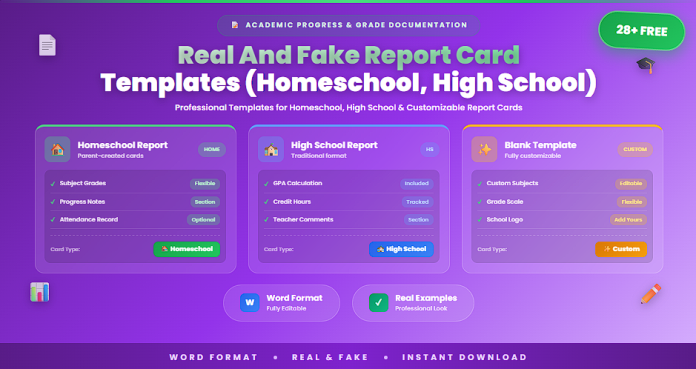
In this guide, you will find 28+ report card templates designed for homeschool and high school use.
⚠️ Important Note About “Real and Fake” Report Cards
Report cards should always be used for legitimate educational and documentation purposes.
Templates are intended for:
• Homeschool evaluation records
• Educational projects
• Practice or design purposes
• Academic documentation by authorized educators
They should not be used to falsify academic records or misrepresent student performance.
Always ensure ethical and responsible use.
What Is a Report Card Template?
A report card template is a structured document used to record and present a student’s academic performance over a specific period.
It provides a standardized format for documenting grades, attendance, and evaluation comments.
A typical report card includes:
• Student name and details
• Subjects and grades
• Teacher comments
• Attendance records
• Behavior or conduct evaluation
• Overall performance summary
These elements help communicate student progress clearly.
When Should You Use Report Card Templates?
Report card templates are useful whenever student performance needs to be evaluated and reported.
They are commonly used for:
• School grading periods (term or semester)
• Homeschool performance tracking
• Student progress reporting
• Academic evaluation documentation
• Parent-teacher communication
• Educational recordkeeping
Using templates ensures consistency and professionalism.
28+ Report Card Templates (Homeschool, High School) In Word
Below is a categorized collection of report card templates for different educational needs.
Basic Report Card Templates (1–8)
• Simple Report Card Template
• Basic Student Report Card
• Printable Academic Report Card
• Standard Grade Report Template
• Student Performance Summary Sheet
• Basic School Report Card Format
• Editable Report Card Layout
• General Academic Report Template
High School Report Card Templates (9–18)
• High School Report Card Template
• Secondary School Grade Report
• Student Subject Grade Sheet
• Academic Performance Report Card
• High School Progress Report Template
• Semester Grade Report Template
• Subject-Based Report Card
• Student Evaluation Report
• School Grading Report Template
• Academic Transcript Style Report Card
Homeschool Report Card Templates (19–28+)
• Homeschool Report Card Template
• Parent-Issued Student Report Card
• Homeschool Progress Report
• Student Learning Evaluation Sheet
• Custom Homeschool Grade Report
• Homeschool Assessment Report Card
• Student Performance Homeschool Report
• Editable Homeschool Report Template
• Complete Homeschool Report Card Pack
Key Elements of a Report Card
An effective report card includes several essential components.
Key elements typically include:
• Student name and identification details
• List of subjects or courses
• Grades or performance ratings
• Teacher or parent comments
• Attendance record
• Overall performance summary
These elements help present a complete picture of student progress.
Why Use Word Report Card Templates?
Using Word templates provides flexibility and ease of customization.
Word advantages
• Easy editing of grades and details
• Customizable grading systems
• Professional document formatting
• Printable and shareable reports
These benefits make Word an ideal format for report cards.
Best Practices for Creating Report Cards
To create effective report cards, follow these best practices:
• Use clear and consistent grading criteria
• Provide meaningful and constructive feedback
• Ensure accuracy of grades and data
• Keep the format simple and organized
• Update report cards regularly
These practices improve clarity and usefulness.
Common Mistakes to Avoid
Some mistakes can reduce the effectiveness of report cards.
Common issues include:
• Inaccurate grading or data entry errors
• Lack of clear evaluation criteria
• Overly complex or cluttered layouts
• Missing important information
• Vague or unclear feedback
Avoiding these mistakes ensures reliable academic reporting.
Frequently Asked Questions
What is a report card used for?
It is used to communicate a student’s academic performance and progress.
Who uses report card templates?
Teachers, schools, and homeschool educators commonly use them.
Can report card templates be customized?
Yes. Word templates can be edited to include specific grading systems.
Are report cards important for students?
Yes. They help track progress and identify areas for improvement.
Can report cards be printed or shared digitally?
Yes. They can be printed or distributed electronically.
Conclusion
Report cards are essential tools for evaluating and communicating student performance. They provide a structured way to present grades, feedback, and progress, helping both educators and parents support student development.
The 28+ report card templates in Word included in this guide offer practical solutions for homeschool and high school evaluation needs.
Using these templates helps ensure clear, accurate, and professional reporting while supporting effective academic tracking and communication.