

Bullet journaling is a flexible planning method that helps you organize tasks, goals, notes, and routines in one system. It works for productivity planning, personal development, academic schedules, wellness tracking, and creative life management.
Starting a bullet journal from scratch can be time-consuming, especially if you want consistent page structure. Free bullet journal templates in Word make setup easier by providing ready-made layouts that you can edit, print, and reuse.
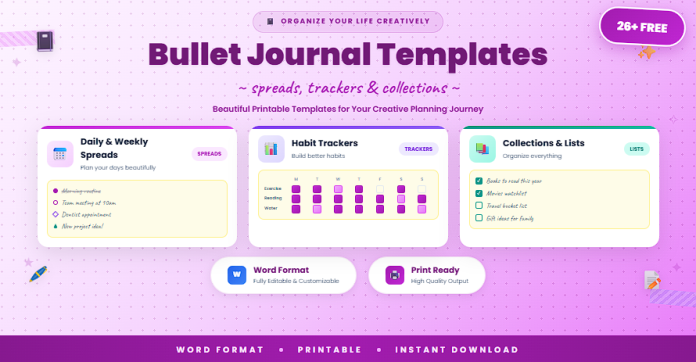
This guide includes 26+ free bullet journal templates for daily planning, weekly organization, monthly reviews, habit tracking, and long-term goal management.
What Is a Bullet Journal Template?
A bullet journal template is a pre-designed journaling layout that structures how you capture tasks, events, notes, and progress.
A typical bullet journal template may include:
- Daily log pages
- Weekly spread layouts
- Monthly overview pages
- Habit and mood trackers
- Goal-setting and reflection pages
- Task migration/checklist sections
Templates help you build a reliable journaling system without designing every page manually.
Why Use Free Bullet Journal Templates in Word?
Using free bullet journal templates in Word provides both simplicity and customization power.
Key benefits include:
- Quick setup for new journal systems
- Consistent page formatting and structure
- Easy editing for personal workflow preferences
- Printable layouts for physical journaling
- Reusable template library month after month
- Better planning clarity and tracking discipline
Word is ideal for users who want flexible templates with minimal design effort.
26+ Free Bullet Journal Templates (Word)
Below is a curated collection of bullet journal templates, organized by planning function.
Core Daily and Weekly Journal Templates (1–10)
- Daily Bullet Journal Log Template
- Minimal Daily Planner Journal Page
- Weekly Bullet Journal Spread
- Weekly Priorities and Tasks Template
- Daily Focus + Reflection Journal
- Time-Block Bullet Journal Page
- Weekly Productivity Journal Layout
- Daily Checklist Bullet Journal Template
- Morning and Evening Routine Journal
- One-Page Daily Bullet Journal
Monthly Planning and Goal Templates (11–18)
- Monthly Bullet Journal Overview
- Monthly Goals and Milestones Page
- Monthly Calendar Bullet Journal Template
- Monthly Review and Reset Worksheet
- Quarterly Goals Bullet Journal Page
- Project Planning Bullet Journal Template
- Goal Breakdown and Action Steps Page
- Monthly Priorities + Notes Journal
Tracking and Personal Development Templates (19–26+)
- Habit Tracker Bullet Journal Template
- Mood Tracker Journal Page
- Sleep Tracker Bullet Journal
- Fitness and Wellness Journal Tracker
- Study Tracker Bullet Journal Template
- Finance and Spending Journal Tracker
- Gratitude Log Bullet Journal Page
- Brain Dump and Idea Capture Template
- Complete Bullet Journal Templates Pack
Why Choose Word Format for Bullet Journal Templates?
Word is a practical format for bullet journal templates because it balances editing flexibility and printable output.
Word format advantages include:
- Easy customization of headings, sections, and prompts
- Fast duplication of pages for weekly/monthly use
- Clean printing for binder or notebook journaling
- Simple personalization for different life areas
- Accessible workflow without advanced design tools
It is ideal for users who want efficient setup and consistent journaling structure.
Best Practices for Using Bullet Journal Templates
To get better results from your bullet journal system:
- Start with a simple core structure (daily + weekly + monthly)
- Keep entries clear and action-oriented
- Use trackers only for habits that matter most
- Review weekly and migrate unfinished tasks intentionally
- Reserve space for reflection, not just task lists
- Update templates as your routines evolve
Consistency matters more than complexity.
Common Mistakes to Avoid
When using bullet journal templates, avoid:
- Overloading pages with too many sections
- Tracking too many habits at once
- Skipping weekly reviews and task migration
- Prioritizing decoration over usability
- Using rigid layouts that do not fit real routines
- Restarting from scratch too often instead of refining
A practical journal system should feel supportive, not overwhelming.
Frequently Asked Questions
Can I use these templates for both personal and work planning?
Yes. Bullet journal templates are flexible for personal life, study, and professional organization.
Do I need to print all pages at once?
No. You can print only the pages you need and build your journal gradually.
Are Word templates editable for custom layouts?
Yes. You can modify sections, headings, spacing, and prompts easily.
What pages should beginners start with?
Start with a monthly overview, weekly spread, and a simple daily log.
How often should I review my bullet journal?
A brief daily check and a weekly review work well for most users.
Conclusion
A strong bullet journal system helps you stay focused, organized, and intentional. The 26+ free bullet journal templates in Word in this guide provide practical, editable pages for planning, tracking, and reflection across daily, weekly, and monthly routines.
With the right templates, you can simplify your planning process and build a journaling practice that supports consistent progress.